

- Select Contacts from the left-hand menu.
- Search for the contact using the search bar.
- Locate the duplicate contact you want to remove.
- Check the box to the left of the contact’s name.
- Select Archive.
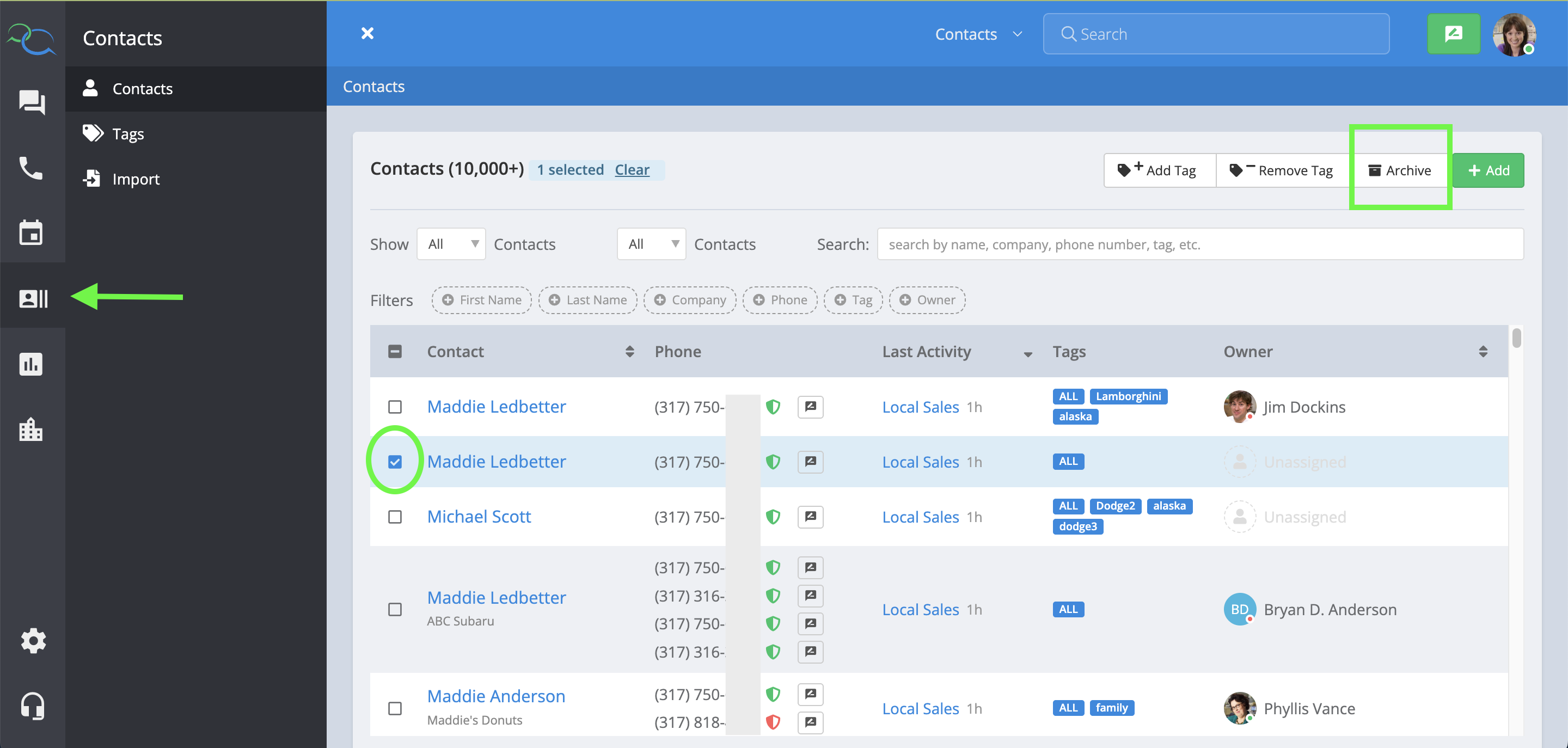
Archiving a contact cannot be undone. Make sure you are selecting the correct duplicate before archiving it.
Not Sure Which Contacts Are Duplicates?
Captivated also has a Duplicate Contacts dashboard that makes it easier to identify contacts that share the same phone number. Go to: Dashboards → Duplicate Contacts The report groups contacts that share the same phone number so you can easily identify records that may need to be cleaned up. From the report, you can identify the duplicates and then use the Contacts section to archive the duplicate record. You can also export the Duplicate Contacts report as a CSV if you need to review or clean up a larger list.The Duplicate Contacts dashboard is available to Account Managers and Administrators.