

View the Failure Reason
To see why a message failed:- Locate the Message Failed indicator on the failed message.
- Open the dropdown next to the indicator.
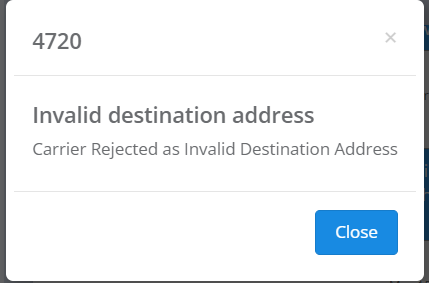
- Select View Error.
- Review the error code and failure reason provided.

Common Reasons Messages Fail
Messages can fail for a variety of reasons, including:- The phone number cannot receive text messages.
- The number is inactive or no longer in service.
- The recipient has opted out or blocked messaging.
- A carrier or network was temporarily unable to deliver the message.
- The message was filtered by a carrier.
- The message contained content or a link that triggered carrier filtering.
- There is a restriction associated with the sender, recipient, or messaging campaign.
What Should I Do If a Message Fails?
Start by reviewing the error displayed under View Error. In some cases, the reason will clearly identify the issue and no additional troubleshooting is necessary. If the error isn’t clear, messages continue to fail unexpectedly, or you believe a message should have been delivered, contact Captivated Support. When contacting Support, provide the affected conversation and failed message whenever possible. Our team can review the error and determine whether additional troubleshooting or carrier investigation is necessary.Some delivery failures occur outside of Captivated and may require investigation by our carrier partners. Captivated Support will determine the appropriate next steps based on the error.