


HubSpot Plugin
Captivated’s HubSpot Plugin enables you to view your Captivated conversations and send new messages directly from the HubSpot contact record.
- Once the Captivated HubSpot Plugin is installed, you can see in the right-hand panel of HubSpot if there are any existing SMS conversations for that contact record.
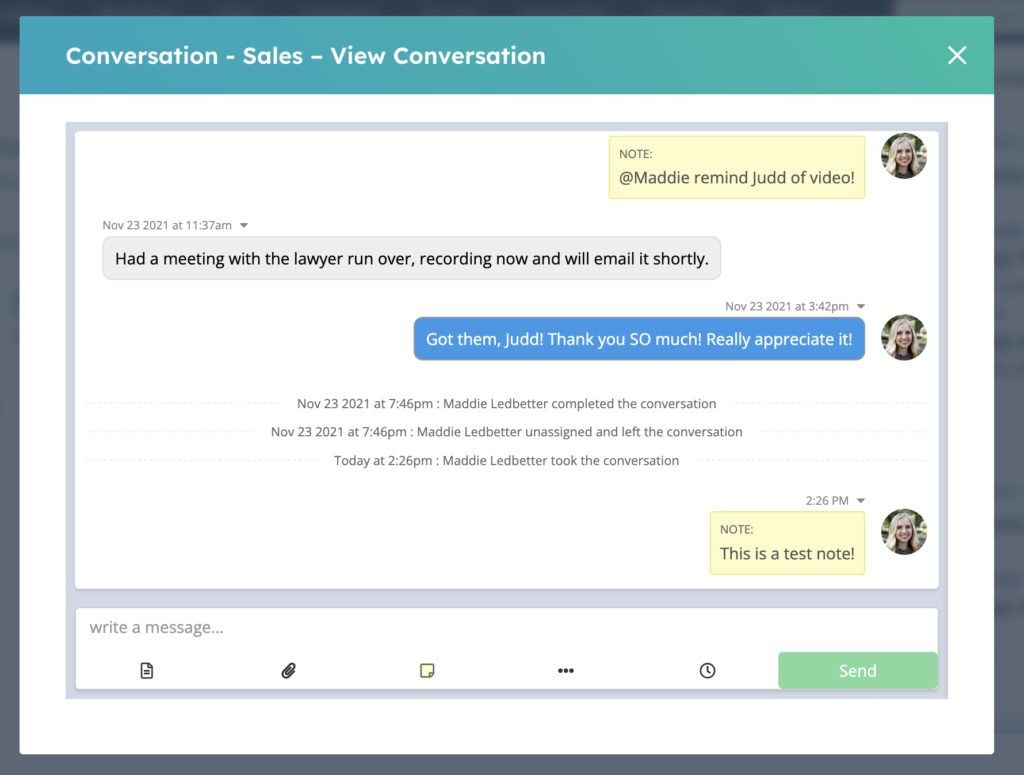
- The ‘Actions’ dropdown allows you to view the existing conversation in HubSpot.
- Click on the launch icon to the right of your channel name to open a new tab and view the conversation directly in Captivated.
- If you have more than one channel in Captivated and wish to start a new conversation from a different channel, you can do so by clicking the ‘Start a Conversation’ button.
 After clicking ‘Start a Conversation’, select which channel you’d like to use to start a new conversation.
 Once you’ve selected a channel, you can draft your new message and hit the ‘Send’ button to send your message. Messages that are sent from HubSpot will show up in Captivated immediately.
 You can scroll through the modal window to review any existing SMS conversation history with a contact.
 If you’d like to get started using Captivated’s HubSpot Plugin, please reach out to Captivated Support via our in-app Support chat or text 317-316-3600.